Automate your pipeline
There are several ways to automate assets in Dagster. In this step you will:
- Add automation to assets to run when upstream assets are materialized.
1. Scheduled assets
Cron-based schedules are common in data orchestration. For our pipeline, assume that updated CSVs are uploaded to a file location at a specific time every day by an external process.
With declarative automation, we can include this schedule information within the dg.asset decorator. Now our assets will execute every day at midnight:
@dg.asset(
    kinds={"duckdb"},
    key=["target", "main", "raw_customers"],
    automation_condition=dg.AutomationCondition.on_cron(
        "0 0 * * 1"
    ),  # every Monday at midnight
)
def raw_customers(duckdb: DuckDBResource) -> None:
    import_url_to_duckdb(
        url="https://raw.githubusercontent.com/dbt-labs/jaffle-shop-classic/refs/heads/main/seeds/raw_customers.csv",
        duckdb=duckdb,
        table_name="jaffle_platform.main.raw_customers",
    )


@dg.asset(
    kinds={"duckdb"},
    key=["target", "main", "raw_orders"],
    automation_condition=dg.AutomationCondition.on_cron(
        "0 0 * * 1"
    ),  # every Monday at midnight
)
def raw_orders(duckdb: DuckDBResource) -> None:
    import_url_to_duckdb(
        url="https://raw.githubusercontent.com/dbt-labs/jaffle-shop-classic/refs/heads/main/seeds/raw_orders.csv",
        duckdb=duckdb,
        table_name="jaffle_platform.main.raw_orders",
    )


@dg.asset(
    kinds={"duckdb"},
    key=["target", "main", "raw_payments"],
    automation_condition=dg.AutomationCondition.on_cron(
        "0 0 * * 1"
    ),  # every Monday at midnight
)
def raw_payments(duckdb: DuckDBResource) -> None:
    import_url_to_duckdb(
        url="https://raw.githubusercontent.com/dbt-labs/jaffle-shop-classic/refs/heads/main/seeds/raw_payments.csv",
        duckdb=duckdb,
        table_name="jaffle_platform.main.raw_payments",
    )
2. Other asset automation
Now let's look at monthly_sales_performance. This asset should be executed once a month, but setting up an independent monthly schedule for this asset isn't exactly what we want -- if we do it naively, then this asset will execute exactly on the month boundary before the last week's data has had a chance to complete. We could delay the monthly schedule by a couple of hours to give the upstream assets a chance to finish, but what if the upstream computation fails or takes too long to complete?
We already set this in the monthly_sales_performance by setting the automation_condition. We want it to update when all the dependencies are updated. To accomplish this, we will use the eager automation condition:
@dg.asset(
    deps=["stg_orders"],
    kinds={"duckdb"},
    partitions_def=monthly_partition,
    automation_condition=dg.AutomationCondition.eager(),
    description="Monthly sales performance",
)
def monthly_orders(context: dg.AssetExecutionContext, duckdb: DuckDBResource):
3. Enabling automation
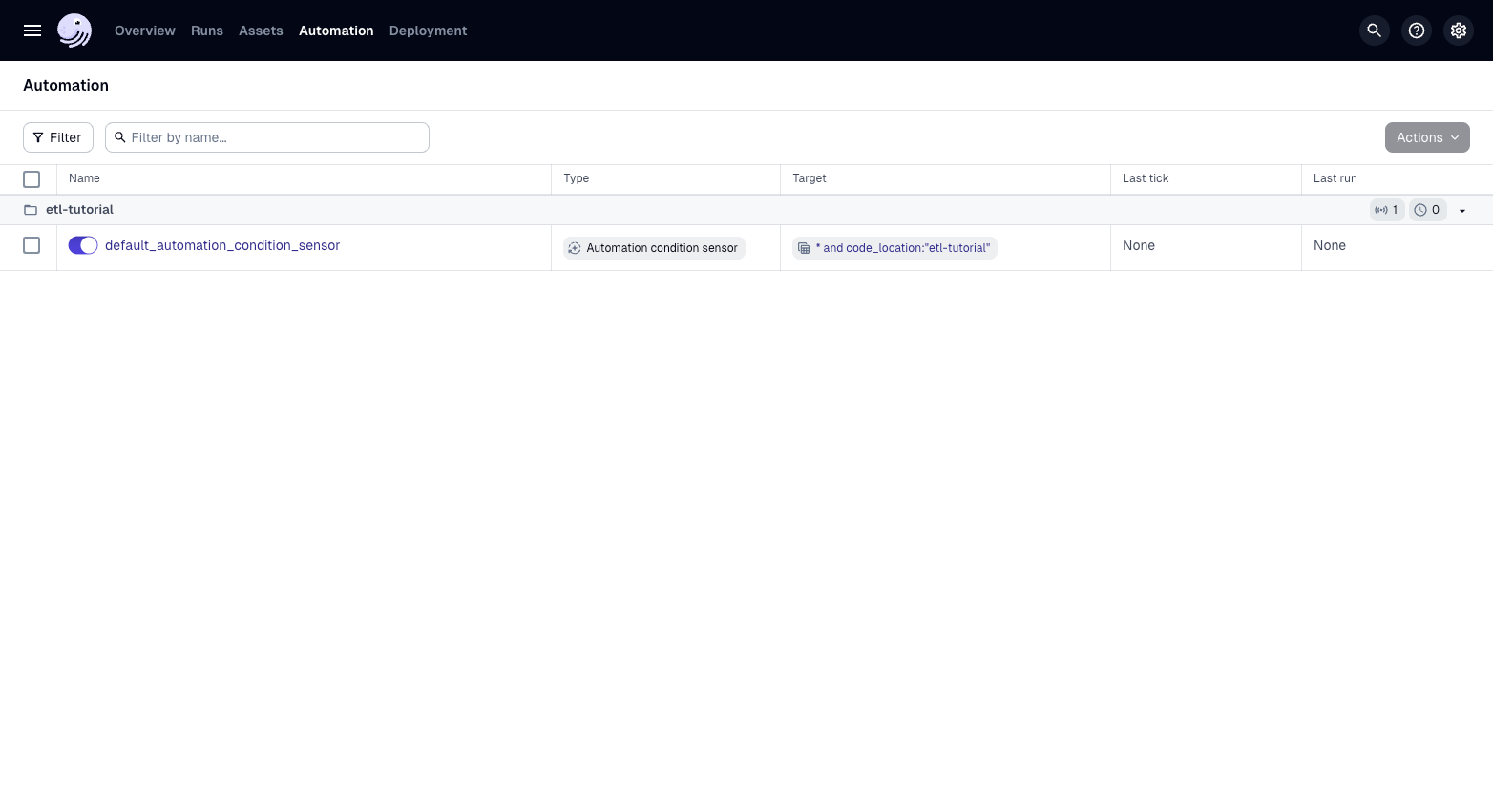
With declarative automation set for our assets, we can now enable the automation condition:
-
Reload your Definitions.
-
Click on Automation.
-
Enable the "default_automation_condition_sensor".
-
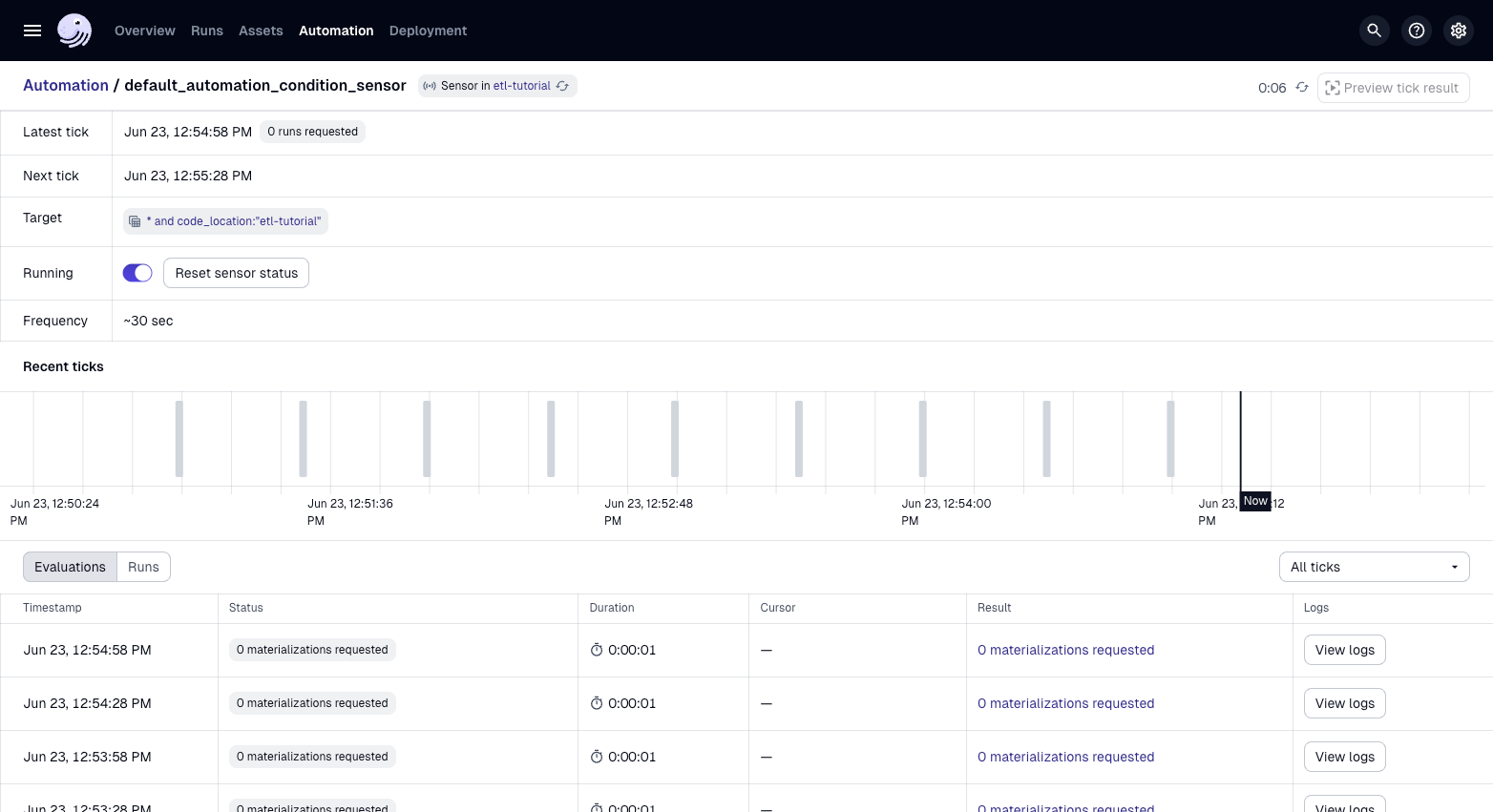
You can now view your automation events which will check to determine if anything should be run.
Summary
Associating automation directly with assets provides flexibility and allows you to compose complex automation conditions across your data platform.
Next steps
In the next step, we build an Evidence dashboard to enable us to visualize data.